
Mainfreight builds relationships and helps our customers make their supply chain logistics reliable and efficient. Rate, Ship, Tracking, Generate BOL and Void are supported in Aptean ship.
Pre-requisite:
When the API implementation is completed, the customer should contact
- Contact Mainfreight Rep.
- Request your API Key for the respective account number and confirm readiness for live operations.
Support
- For assistance from Mainfreight, contact Support at:
Martin Moncada <[email protected]>
The APIs Supported by Mainfreight and implemented in Aptean ship:
- Rate API
- Ship API
- Tracking API
- Generate BOL API
- Void API
Account Setup:
- In Aptean ship, select setup-> Carrier Interface-> Mainfreight
- Select ‘Accounts’ and click on ‘New Account’

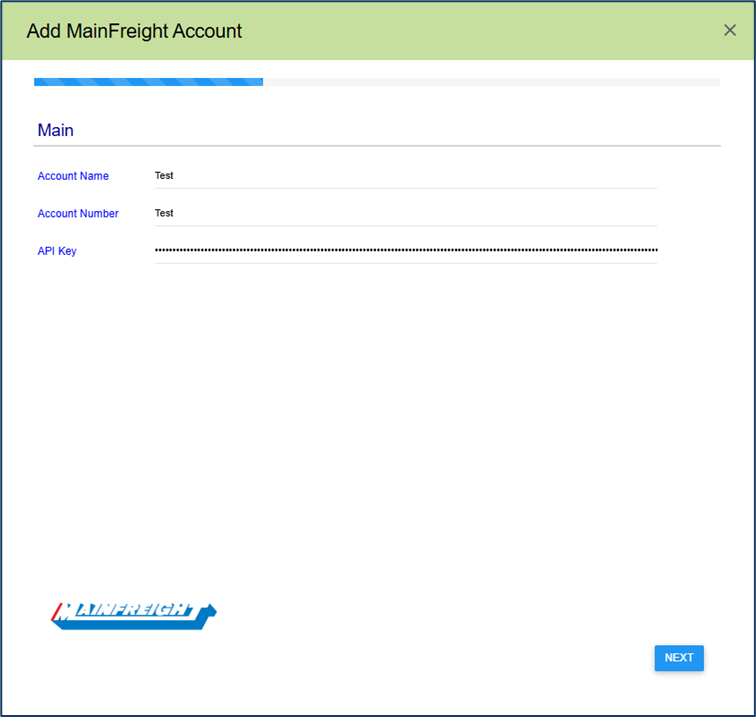
- Enter the account name that will identify this account in Aptean ship. Enter the Account Name, Account Number (Account Number provided by the carrier) and API Key and then click on ‘Next’
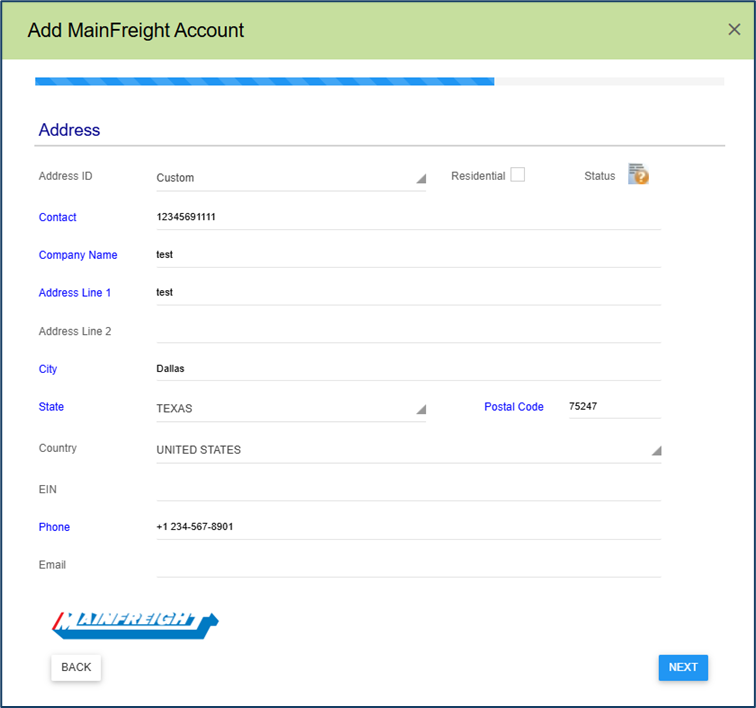
- Enter the Address used for the Mainfreight account # and click on ‘Next’.
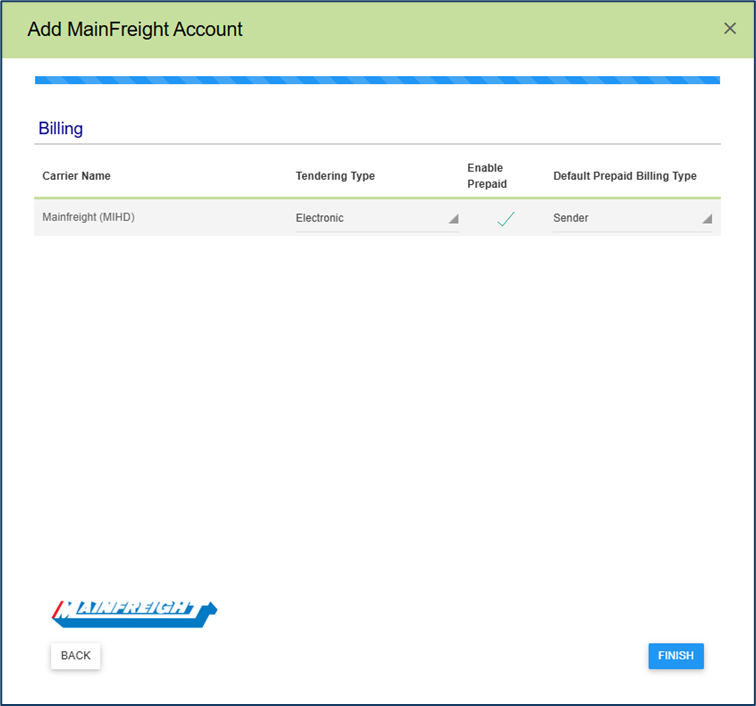
- Configure Billing type
- Tendering Type: The choices are Call, Electronic, or Daily Pickup. Aptean ship will only send a pickup request to Mainfreight when Electronic is selected. For the Call or Daily Pickup options, you must contact the carrier directly.
- Enable Prepaid: Check to enable a default Prepaid Billing Type.
- Default Prepaid Billing Type: This is the default Billing Type for shipments that are paid for by the shipper. You can select from Sender or any other 3PL that you set up in Maintain > 3PL. These settings affect the options available for Billing in the Transportation section of the Shipment Editor.
- Click on Next to complete the account setup

Supported Shipment Options:
Hazardous Shipment
Residential Delivery
Residential Pickup
Inside Delivery
Inside Pickup
Liftgate Delivery
Liftgate Pickup
Limited Access Pickup
Limited Access Delivery
Arrival notification
Protect from Freezing